Layout dashboards
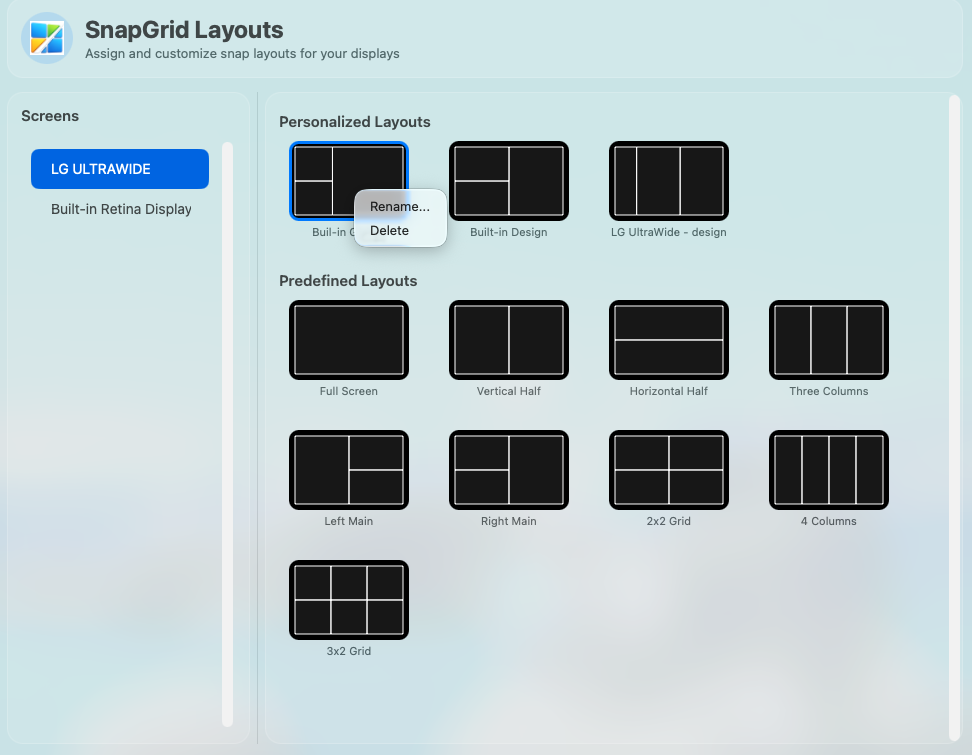
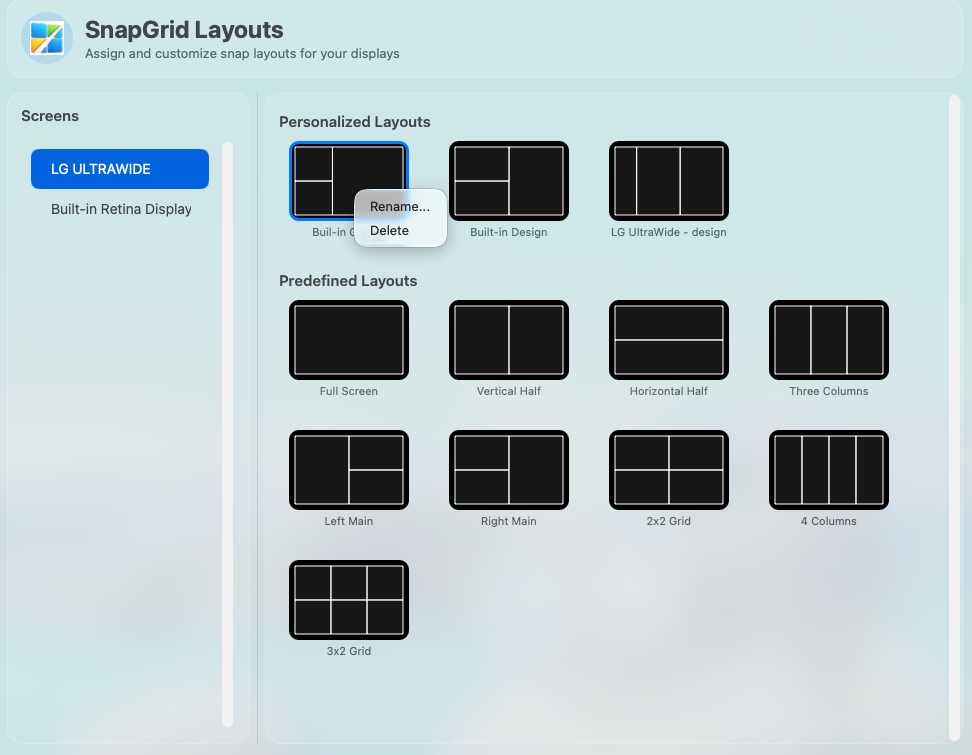
Choose from built-in layouts or create personalized dashboards for each display. Switch between them instantly from the menu bar.
macOS window management

Organize every screen with flexible grid layouts. SnapGrid Window Manager splits your display into practical snap zones and lets you place app windows precisely using drag and drop — no keyboard shortcuts needed.
Built for standard displays, ultrawide monitors, multi-screen desks, and fast workflows that shift throughout the day.
Choose from built-in layouts or create personalized dashboards for each display. Switch between them instantly from the menu bar.
Move a window over a zone and SnapGrid Window Manager automatically positions and resizes it to fill that area precisely — no manual resizing needed.
Assign different layouts to different monitors, including ultrawide, standard, and Retina screens. Layouts are saved per display.
Build custom layouts by splitting zones, flipping the structure, and resizing dividers. Save each layout under a custom name.
SnapGrid Window Manager runs from the macOS menu bar and uses minimal system resources, even when heavy apps are open.
Requires only standard macOS Accessibility permission. No background services, no cloud sync, no account required.
From install to snapping windows in under two minutes.
Drag the app into your Applications folder and grant Accessibility access once in System Settings > Privacy & Security.
Open Layouts from the menu bar icon and pick a predefined grid or one of your saved personalized layouts.
Drag any app window over a grid zone. SnapGrid Window Manager aligns and resizes it automatically to fill that zone exactly.
SnapGrid Window Manager fits into development, design, research, and office setups without getting in the way.
Keep your code editor, terminal, and browser in fixed zones so context switches never require manual repositioning.
Arrange your design tool, reference images, and asset panels across the screen in a layout that matches your creative process.
Place multiple browser windows, documents, and note-taking apps side by side for faster reading and cross-referencing.
SnapGrid Window Manager is free to download. Install it in seconds and start organizing your screen exactly how you work best.
SnapGrid Window Manager is a macOS window management utility that brings order to a cluttered desktop. Instead of manually dragging window edges to resize and reposition apps, you define zones on your screen and snap windows into them with a single drag.
It works with every standard macOS application and requires no keyboard shortcuts to learn. Just drag a window toward a zone and SnapGrid Window Manager takes care of the rest.
SnapGrid Window Manager is built for anyone who works with more than one or two apps open at a time — developers, designers, writers, analysts, and knowledge workers who want their screen layout to stay stable and intentional throughout the day.
It is especially useful on ultrawide and multi-monitor setups where free-form window placement can quickly become hard to manage.